Technology & Computing · Digital life & society
How cookies let websites remember and track you
A cookie is a small note a server asks your browser to keep and hand back. See why the web needs them, how one company can use them to follow you across sites, and what browsers do about it.
What you will learn
- Explain what a cookie is and why a stateless protocol needs one
- Choose between a session cookie, a permanent cookie and a storage API
- Decide whether a cookie is first party or third party for a given page
- Give the common legitimate reasons a third-party cookie is set
Lesson 1 of 4 · 6 min
What a cookie is and why the web needs one
In June 1994, the browser company Netscape was building an online shop for a client, and the shop needed a cart. The client didn't want its servers keeping track of every half-finished order. So a Netscape programmer, Lou Montulli, had the shopper's own computer hold that information.
The problem he was solving is still there. HTTP, the protocol that carries web pages, is stateless. Each request arrives with no memory of the one before. Montulli's fix was a small piece of data that the server hands to the browser, and that the browser sends back with later requests. He called it a cookie, after programmers' slang for data a program receives and returns unchanged.
Signing in shows the whole mechanism. You send your username and password. If they're right, the server replies with a cookie holding a session ID. On the next page, your browser sends that cookie along. The server checks the ID, and if it's still valid, you get your own version of the page. If it isn't, you're asked to sign in again.
Cookies have three main jobs. Session management covers sign-ins and shopping carts. Personalization covers preferences such as language and theme. Tracking means recording and analyzing what users do. The first two are why cookies exist. The third is why you've heard of them.
A cookie is tiny. A whole one can be as short as theme=dark, a name and a value. Whoever sets it also decides how long it lasts.
A permanent cookie carries an expiry, either a date or a lifetime in seconds called Max-Age. Max-Age is the less error-prone choice, because a date is read against the clock of the user's device, which may not agree with the server's.
A cookie with no expiry is a session cookie, deleted when the session ends. The catch is that the browser decides when that is. Some browsers restore your session when they restart, so a session cookie can last indefinitely. To delete a cookie at once, the server sets it again with a lifetime of zero.
Some sites use techniques that recreate cookies after you delete them. These zombie cookies violate the principle of user control and may break privacy law.
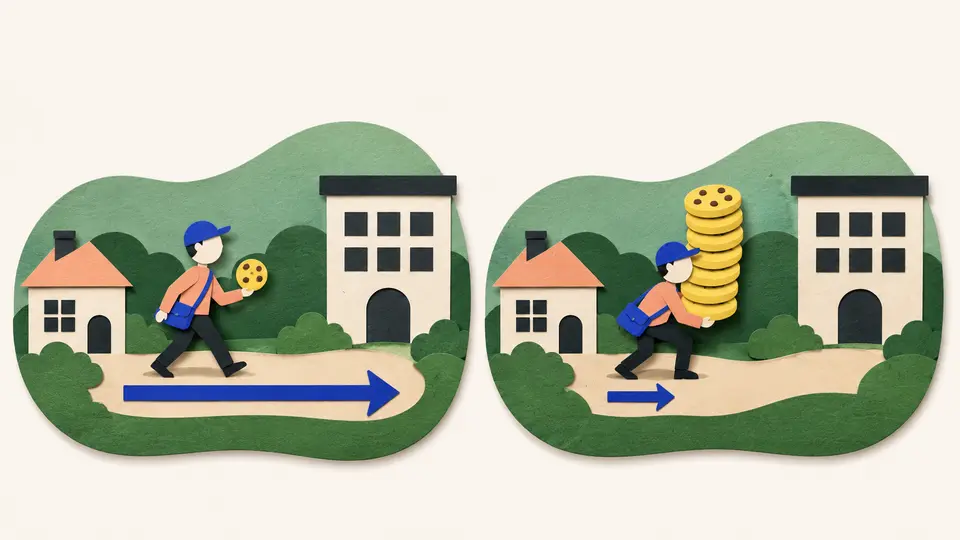
Cookies were once the only way to store data in a browser, and they're now the wrong tool for it. Browsers cap each one at about four kilobytes and allow a few hundred per domain. Worse, every cookie is sent with every request, so a pile of them slows each page load. Newer browser storage, such as localStorage and IndexedDB, holds more and never sends anything to the server.
Try to recallAn application wants to keep a long list of user interface preferences that the server never reads. Why is a cookie a poor place to keep them, and what should the application use instead?
A cookie is small and it travels constantly. Browsers cap each cookie at about four kilobytes and allow only a few hundred per domain, so a long list may not fit. And every cookie is sent with every request to that server, so data the server never reads gets uploaded again and again, slowing each page load.
The right place is browser storage built for the job, such as localStorage or IndexedDB. It holds more, and it never sends anything to the server.
So a cookie is a short note that a server asks your browser to keep and hand back. It was invented so a shop could remember your cart, and it still does that job. What turned it into a privacy problem is the matter of which server gets the note back. A cookie can belong to the site you're visiting or to a different one, and that difference decides what it can be used for.
Lessons in this topic
What a cookie is and why the web needs one
The web's basic protocol forgets you between one request and the next. See how a cookie works around that, how long one lasts and what it's the wrong tool for.
What makes a cookie first party or third party
The label depends on one comparison with the address bar, and who owns the sites doesn't come into it. See the ordinary jobs third-party cookies do.
How a tracking cookie follows you from site to site
One embedded company sees a little of you on every site that carries its content. See how that adds up to a profile, and what each major browser does about it.
The five settings that decide where a cookie goes
SameSite, Secure, HttpOnly, Domain and Path control where a cookie travels and who can read it. Two of them protect less than their names suggest.
Three quick stories from this topic
The rule browsers ignored
The first cookie standard, in 1997, told browsers to block third-party cookies by default
Its authors had already identified cross-site cookies as a privacy threat. Netscape and Internet Explorer didn't follow the rule, and advertisers were using such cookies by then. As of 2026, Chrome still allows them by default.
What third party means
A cookie is third party when its site differs from the one in your address bar. Ownership doesn't matter, so a company's second domain sets third-party cookies on the company's own pages.
What other browsers do
Firefox gives every site a separate cookie jar by default, Safari has similar protections and Brave blocks tracking cookies, according to Mozilla's 2026 documentation.
Google's $22.5 million cookie
Google agreed to pay $22.5 million in 2012 over a tracking cookie Safari was set to block
Safari blocked third-party cookies by default, and Google had told Safari users that this kept them opted out of its ad tracking. The US Federal Trade Commission charged that Google used an exception in the setting to place the cookie anyway. Google settled without admitting liability.
How a tracking cookie works
A company whose content is embedded on many sites gets its own cookie back from your browser on each one. Combined, those visits form a profile of your browsing.
Why browsers can't just filter them
A tracking cookie is technically indistinguishable from a useful one, such as a shared sign-in. So browsers block or separate third-party cookies wholesale.
Why the cookie was invented
The cookie was invented in 1994 so an online shop could keep your cart on your computer
Netscape programmer Lou Montulli devised it for a client that didn't want its servers tracking half-finished orders. Browsers accepted cookies without notifying anyone. The public learned about them in February 1996, from an article in the Financial Times.
The problem it solved
HTTP, the protocol that carries web pages, keeps no memory between one request and the next. A cookie is a small value the server asks the browser to keep and send back.
Where the name comes from
Montulli took it from 'magic cookie,' a term Unix programmers used for a packet of data that a program receives and sends back unchanged.
Sources
- Using HTTP cookies - HTTP | MDN, Mozilla Foundation
- HTTP cookie, Wikipedia
- Third-party cookies - Privacy on the web | MDN, Mozilla Foundation
- RFC 2109: HTTP State Management Mechanism, Internet Engineering Task Force
- Google Will Pay $22.5 Million to Settle FTC Charges it Misrepresented Privacy Assurances to Users of Apple's Safari Internet Browser, U.S. Federal Trade Commission