Technology & Computing · Data & digital information
Data compression
See how a zip file squeezes out repetition, how JPEG and MP3 throw away what you won't notice, why busy video breaks into blocks and why no method can shrink every file.
What you will learn
- Explain how run-length and dictionary methods shrink data by describing repeats
- Explain why giving common symbols shorter codes saves space
- Explain how JPEG uses the limits of eyesight to discard detail
- Explain how MP3 uses masking to drop sounds you can't hear
Lesson 1 of 4 · 4 min
How a zip file shrinks without losing a single bit
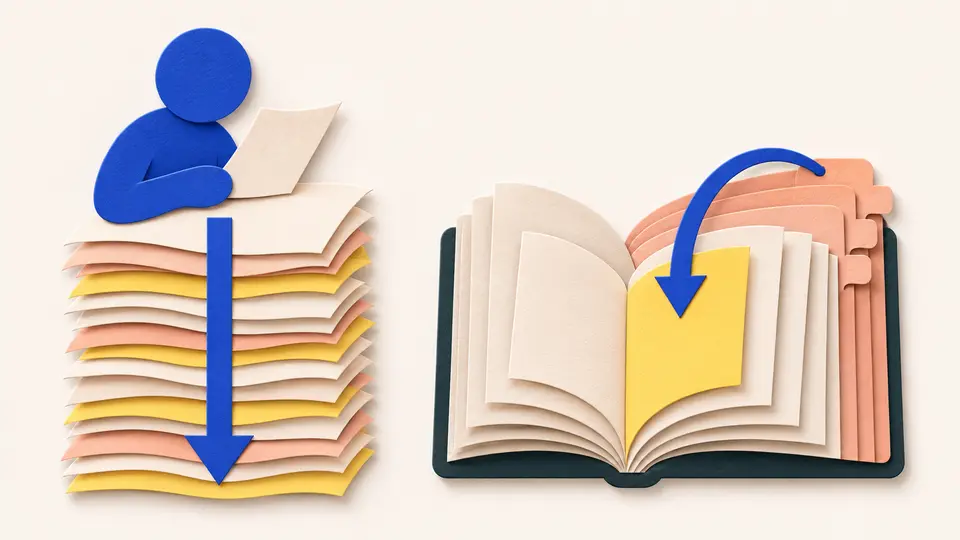
A faxed letter is mostly white paper. Store it dot by dot and you write "white" thousands of times in a row. Fax machines save that effort with run-length encoding. They store a value once with a count, like "white, 1,500 times".
This is lossless compression. Unpack the file and you get back exactly the original, every bit. It works because real data repeats itself.
Runs only help when there are runs. Icons and line drawings have long stretches of one color. A photograph changes color at almost every dot, so run-length encoding barely helps, and on some files it makes them bigger.
A smarter trick handles repeats that aren't side by side. In 1977 Abraham Lempel and Jacob Ziv published a method that swaps a repeated stretch for a pointer back to its earlier copy, meaning "go back 40 characters and copy 12". ZIP files and PNG images still use a descendant of it.
In 1840s America, Alfred Vail was building the alphabet for Samuel Morse's telegraph. He wanted messages to take as little time as possible. So he gave the most common letters the shortest signals. E became a single dot.
To find which letters were common, he counted the metal type in the cases of a local newspaper printer. The printer kept more copies of the letters it used most.
The saving is an average. Rare letters get longer codes, but they turn up so seldom that the message comes out shorter overall.
In 1951, an MIT student named David Huffman found the best way to do this for computers. A Huffman code gives every symbol a string of bits, with the shortest going to the commonest. No code is the start of another, so a computer can tell where each one ends without the gaps Morse code needs.
ZIP combines both ideas. It swaps repeats for pointers, then packs what's left with a Huffman code.
Try to recallWhy does giving the most common letters the shortest codes make a message shorter on average?
Common letters appear many times, so saving a little on each one adds up to a lot. Rare letters get longer codes, but they appear so seldom that the extra length costs less than the saving. The total comes out shorter.
Lossless compression describes repeats instead of storing them and gives common symbols short codes. Nothing is thrown away, so you get back exactly what you put in.
Lessons in this topic
How a zip file shrinks without losing a single bit
See how lossless compression describes repeats instead of storing them, and why giving common letters short codes saves space, from Morse code to ZIP.
How JPEG and MP3 throw away what you won't miss
See how JPEG drops detail your eyes barely see, how MP3 drops sounds your ears can't hear, and why the loss is permanent.
Why streaming video breaks into blocks
See how video stores the changes between frames instead of every picture, and why fast, busy scenes turn blocky when the stream is short of data.
Why no compressor can shrink every file
See the counting argument that rules out a perfect compressor, and how Claude Shannon's 1948 idea of information sets the smallest size a file can reach.
Three quick stories from this topic
Files that won't shrink
Over 99% of all possible files of a given length can't be compressed by even one byte
There are fewer short files than long ones, so no lossless method can shrink them all. Compression works on your files because real text and pictures repeat themselves, unlike random data.
The pigeon count
Eight files of 3 bits can't all fit into the seven shorter files, so two would have to share.
Why claims fail
A tool that shrank every file could be run again and again until any file was one bit long.
Morse and the type case
Morse code's short letters came from counting the metal type in a newspaper's print shop
Alfred Vail wanted telegraph messages to be quick, so common letters needed short codes. He judged which were common by counting the type a Morristown, New Jersey printer kept for each letter.
E gets a dot
The most common letter in English, E, has the shortest code of all, a single dot.
Still in your zip files
Huffman codes, found in 1951, apply the same rule with bits, and ZIP files use them today.
The Mother of the MP3
MP3 was fine-tuned on Suzanne Vega's "Tom's Diner", earning her the name Mother of the MP3
Karlheinz Brandenburg found her unaccompanied voice sounded horrible at bit rates where other music sounded fine. He played it again and again as he refined the format, until her voice survived.
Why that song
A lone voice gives masking little to hide behind, so every flaw in the compression shows.
What MP3 drops
Sounds that louder sounds nearby in pitch would hide, which makes files 75 to 95% smaller than CD audio.
Sources
- Data compression, Wikipedia
- Run-length encoding, Wikipedia
- LZ77 and LZ78, Wikipedia
- Deflate, Wikipedia
- Morse code, Wikipedia
- Huffman coding, Wikipedia
- Lossless compression, Wikipedia
- Tom's Diner, Wikipedia
- MP3, Wikipedia